Ok here is some feedback to keep you busy.
Lets start with the back.

This loop pointed out with red arrows inside the exhaust, isn't required. Dosen't give it any sturcture that the player can see and just wastes tris, so you can can simply remove it, leaving a nice cone and to anyone looking in, will look exactly the same

Next in green are some edges you should add in as otherwise it can end up diffrently from what you want if you don't define it, espically after exporting it to BF2.
In yellow, something doesn't look right here, looks like it dimples in on the fusalarge which I'm sure it shouldn't?
Next going by this picture here:
http://i.imgur.com/gKMr2e6.png
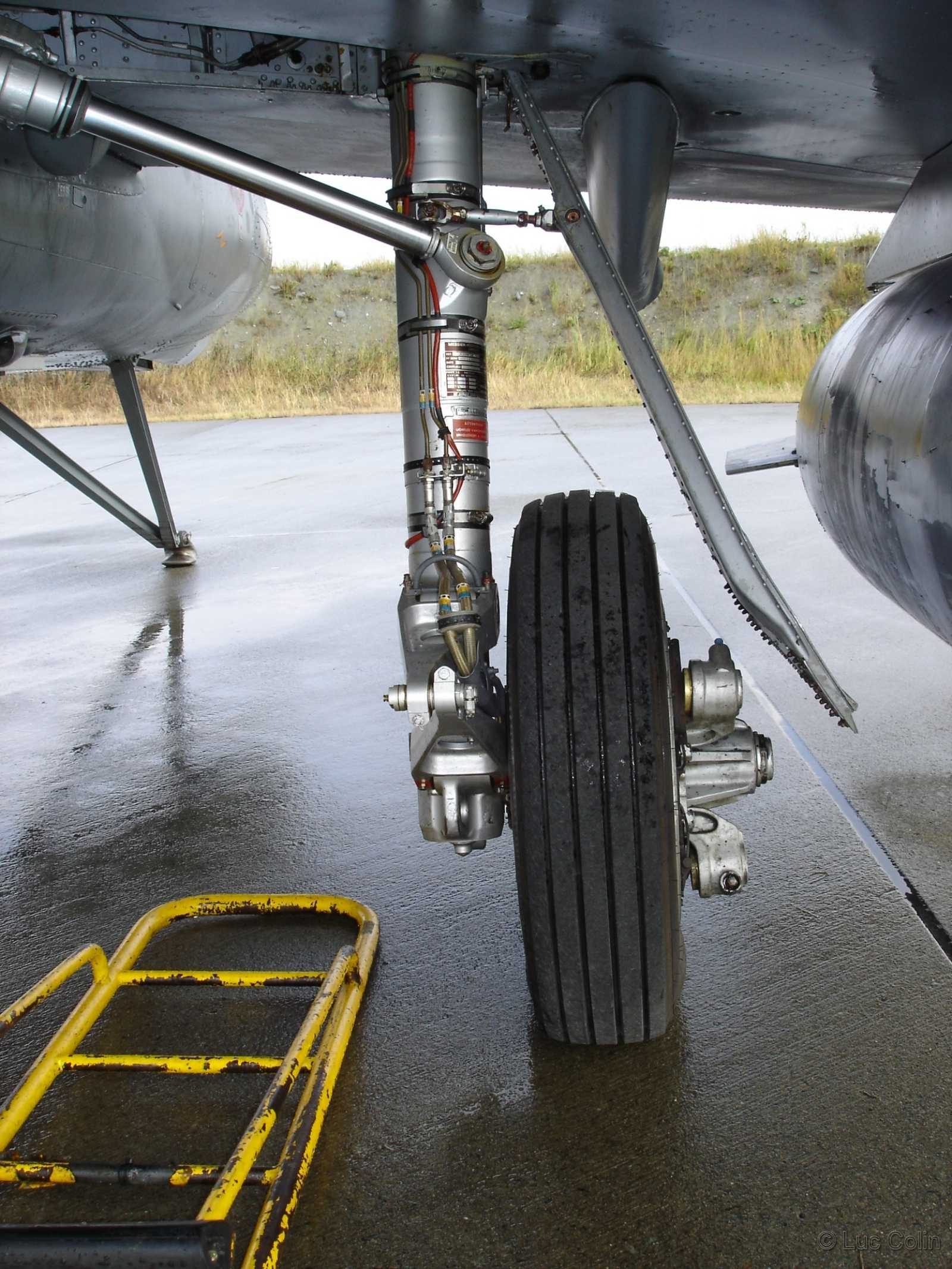
Looks like your exhaust isn't perfectly round, do you have any refs to support this? All the refs I can find show to me that it should be perfectly round? First picture you can see the frame around the exhaust on the right too:


Also don't forget to add the arrester hook


Next moving onto the Elevators, I see you've modelled the base of them, as you can see clearly in the top left of this pic:

This tbh, isn't such a good idea, since they are so thin, they will just zfight like crazy with the face of the tail under them and will look horrible ingame.
I can see why you did this because it looks like at first glance that the entire elevator moves for when the pilot pitches, but I'm pretty sure this isn't the case since if you look at the refs clearly, you can see its got elevator flaps on the end of them, and "I'm assuming" that the entire tail can only be rotated on the ground, before takeoff, or at least doesn't rotate in normal flight manuvers (may rotate with the flaps control or something howerver, can anyone confirm how/when it rotates?):

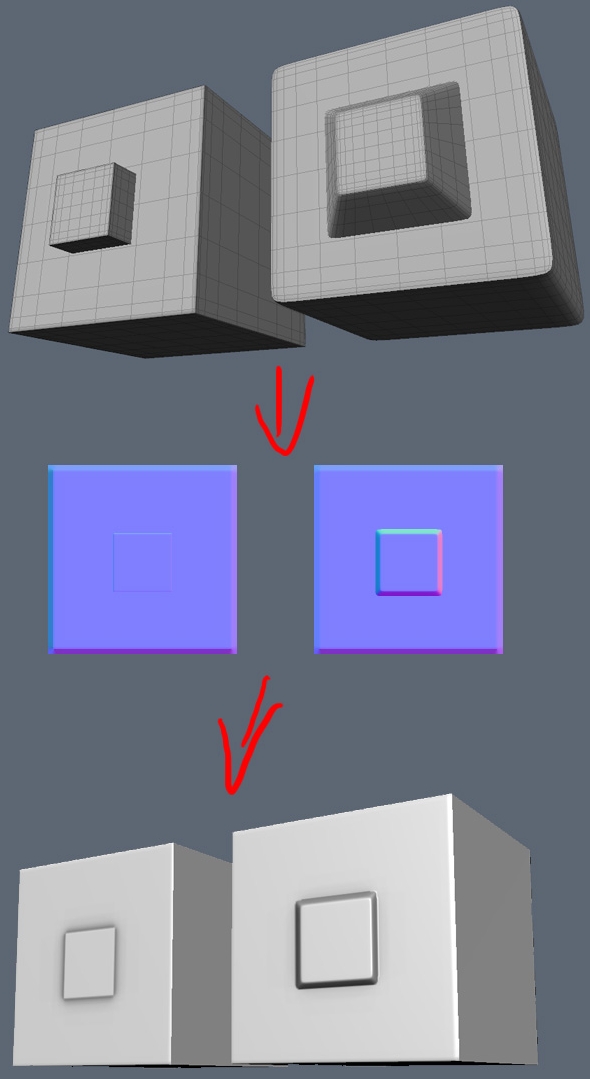
Anyways there are a few ways I can see about going about this but if we are going to have the tail wing in a fixed stance which is the simplest thing, then what I would recommend is removing your modelled base and instead have it textured onto the side of the tail thin with a normal map which will bump it out as much as if it was modelled there, but will save a lot of tris, UV space and most importantly, will not zfight
You also need to model in those elevator flaps onto the tail wing btw

Next I don't see any need for this line down the middle of the tail wing, circled in red? Think you can remove that. Also drawn in yellow where to put the elevator flaps.
Moving onto the main wings in the same shot, on the left I've circled in red again these loops I don't see any need for, they just screw up the smoothing and add extra tris? You also seem to have missed out the Alerions flaps from the wings, although you have the main big inner landing flaps, the Alerions are the more imporant ones since they control the aircraft's roll, the landing flaps just create more lift and drag for landing. I've also outlined in green the area, more or less, where the wing can fold up. While we possibly wont ever use this ingame, would be still nice to model this aircraft so its wings can fold up as I do see a potential use for it ingame and won't take up that much more tris or UV space to do so worth modelling in the potential of having it
I've also penciled out with small red lines on the right the best possible tri layout, after removing those unessary loops and adding in the alerion flaps and seprating the foldable tips off from the main wings

Also a lot of these loops highlighted in green I don't think are needed, some might be but most of them aren't affecting the shape at all and can be lost, and others can also be optimized down so you only need them on parts you do and others you don't, just because something is welded to the top or bottom, dosen't mean you need the loop to countiue all the way around if that loop does nothing to the strucure or smoothing
Most likley others not highlighted in that pic too that can be removed too btw

It's good you've made your fusalarge etc smoother than before but tbh, still think it could be quite a bit smoother than it is now and with the tris you've saved in other areas, think you can spend them here on making this thing look smooth and sleek
Main thing would be to add a central line down the top of the fuslarge and though the cockpit, and then doubling up on every other segment, which then will give a much nicer smoothness to the whole thing

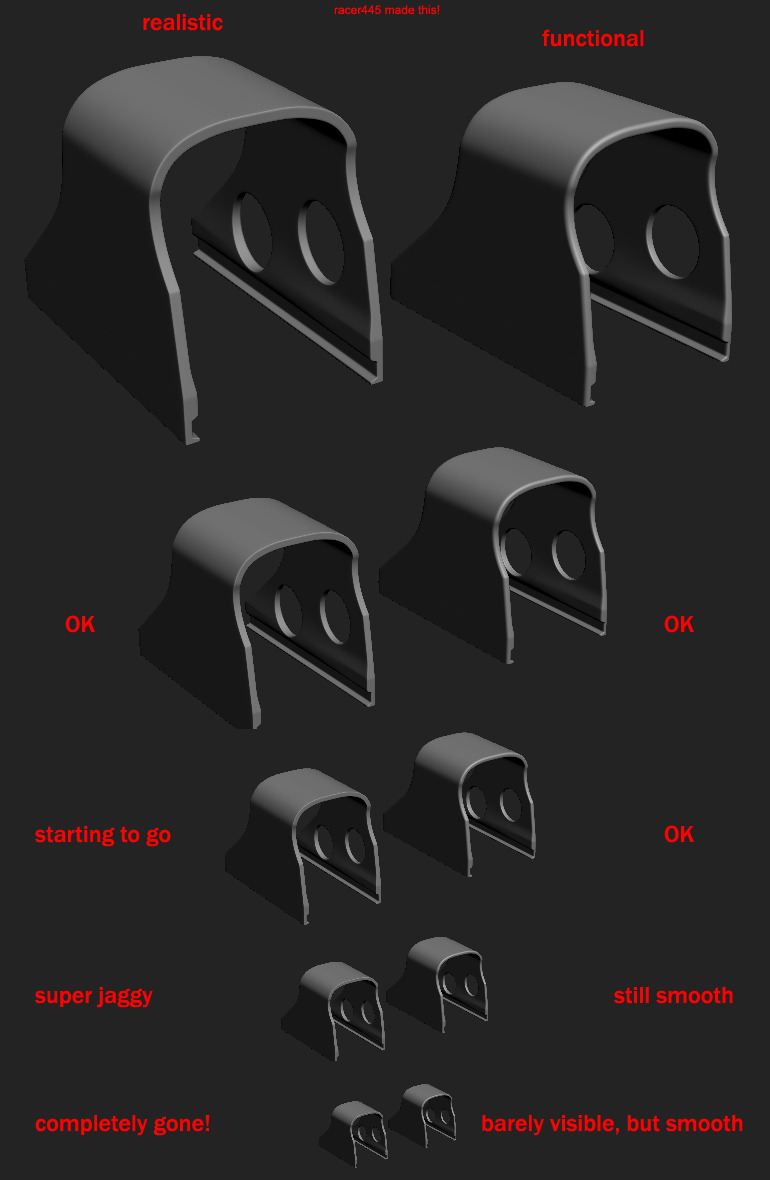
The nose can also have some segments collapsed as it gets smaller and if your worried about smoothing, best to control it with a high poly bake
Also note how the front window is smaller at the top than it is at thew bottom, whgere your's currently isn't:

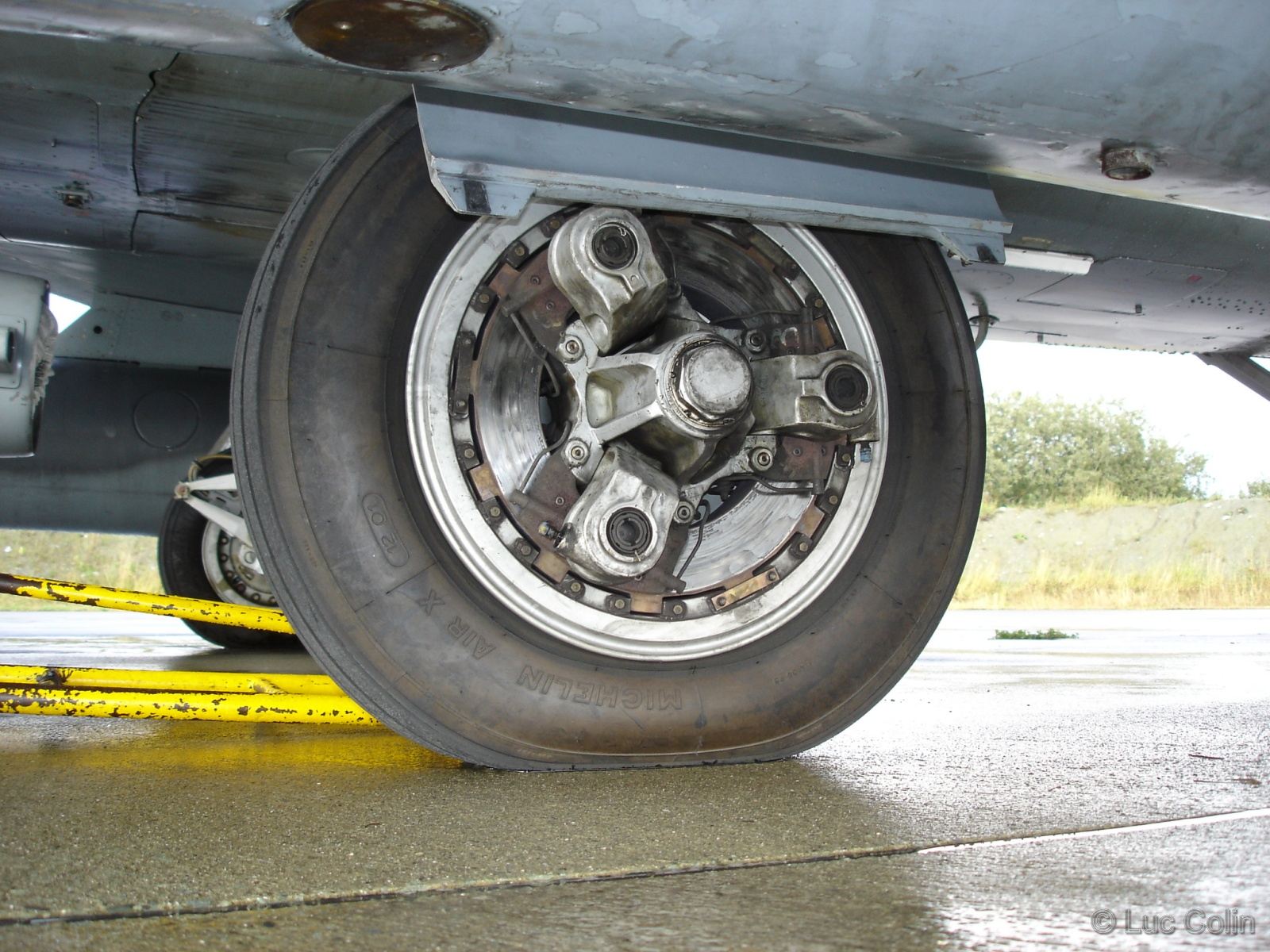
Lastly for now on the main wheels, you do not need most of this low poly detail that is going to waste and just going to cause problems.

The Disk Break base itself should just be removed and just textured on, as it is being a thin mesh, it will just zfight like crazy and wastes tris and UV space and will even look rounder being a texture. The other parts too can be much simpler, and as I would recommend, you give their detail though making a high poly model of the wheel and then baking the details from that onto these parts, which will result in a far better and low poly finish all round, and all you need for that from the low poly side, is just a simpler inside, and those three outer bits, which again can be much simpler than they are now
But even if not going the high poly baking route, you still don't need all this low poly detail for them and a simpler thing would still be best, just the HP normal bake would give by far the best and most realistic finish
Not the best pic but note here how on the low poly part of the model, the inner part of the wheel is a really simple block for a pretty complex bolt fitting bit, but with the high poly normals baked on it passes off really well:

That's all for now, is more stuff but will give you feedback on that later and hopefully you can find the issues yourself and fix them









 optimize modifier)


