My approach:
1. Made a plane the size (px) of my side reference image
2. Made a plane the size (px) of my rear reference
3. Placed references, offset back from the 0,0,0
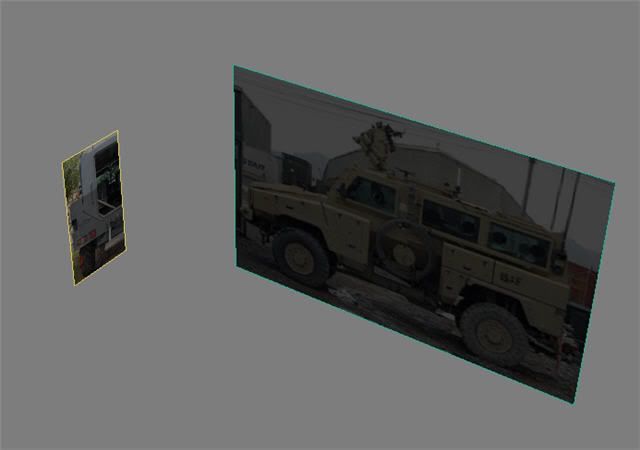
4. Made a plane 1x1 called rear fender. Made semi-transparent.
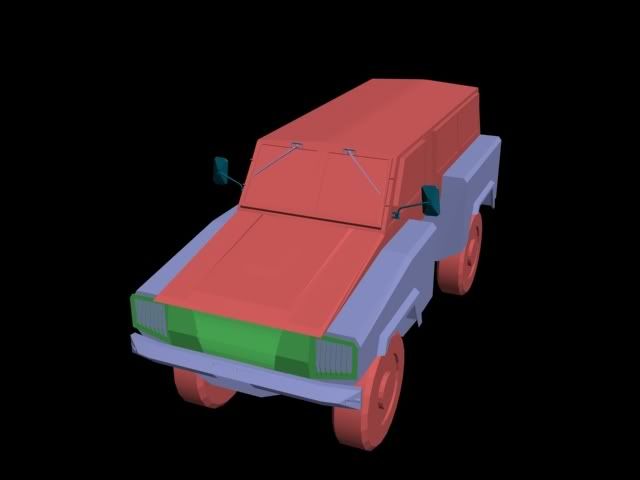
5. Converted plane to editable poly and added vertices on the lines to make it match the reference. For the little flaps that stick out I used a shift+scale.
6. Created the front fender the same way.
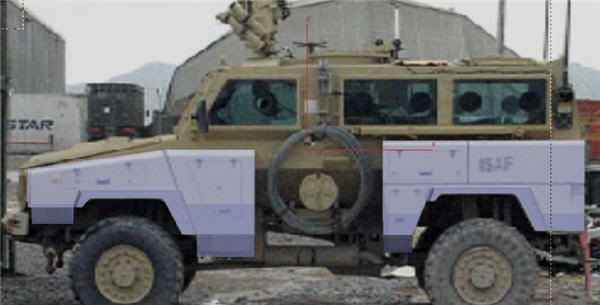
7. Using the rear reference made the hull profile from a new plane -> editable poly.
8. Grabbed the edges of the fenders and dragged them back to the hull. Then using zoom and eyesight tried to line these vertices up with the hull's shape. Note, these are not attached in any way. I'm used to engineering modelers where this kind of approximation is liable to get you shot.
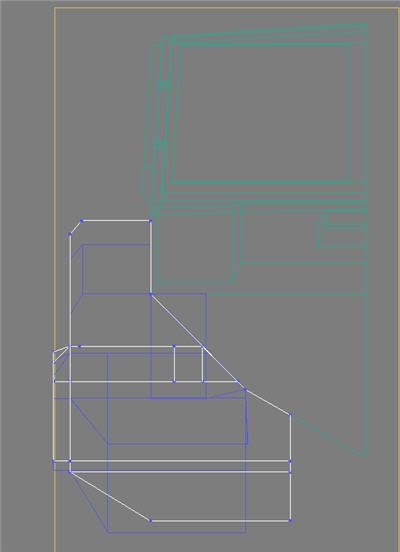
9. Made the hood with a bunch of copied edges and some new edges vertices to vertices(This does not always seem to take though, often the second vertices cannot be grabbed)
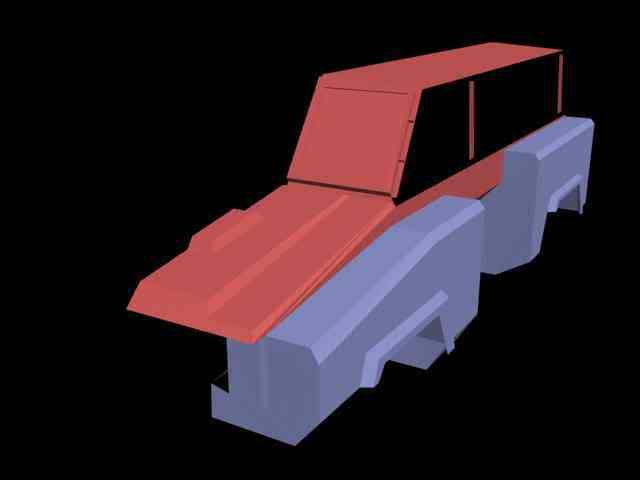
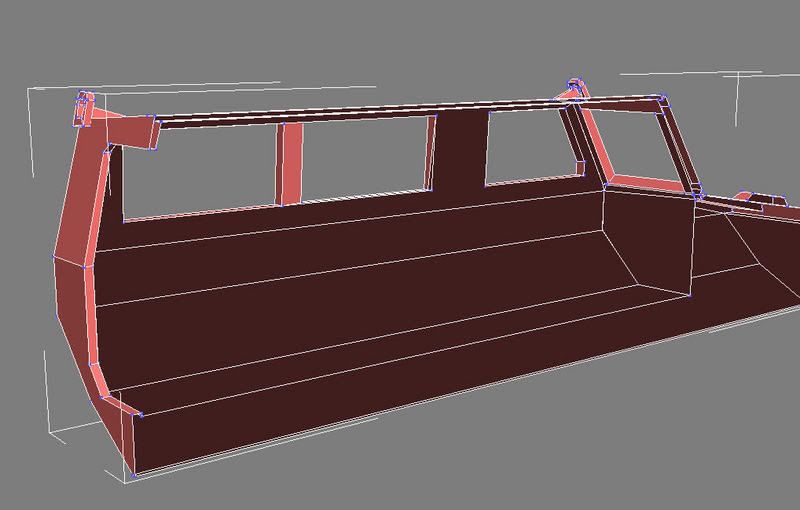
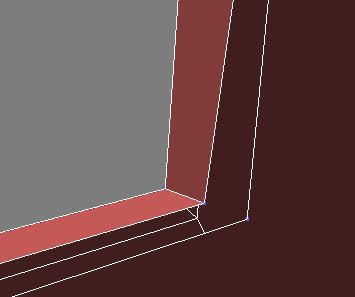
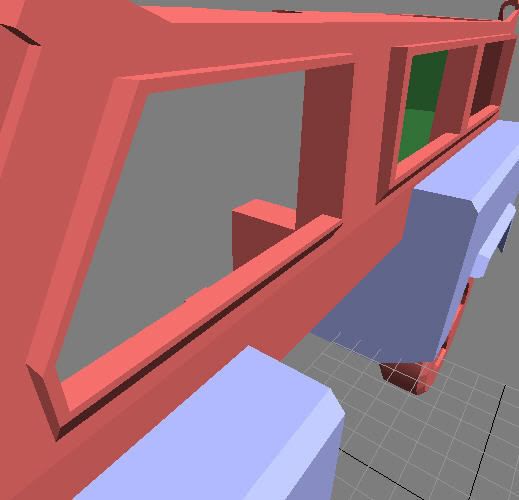
10.Attempted the side windows. Adding vertices to the existing plane did not work because they could not have edges created between. Then I tried copy+scale the edges around the plane I wanted to create the windows on. Then I copied+moved the edges out of the side of the vehicle to create the window frame. Only thing is, I cannot make new polies between these windows and the outsides of the side of vehicle-type plane. I have fought with this for many hours. The bridge tool seemed to help at first but it added overlapping planes. Why can't I just create a polygon like everywhere else? Because I get an error "Illegal new face"
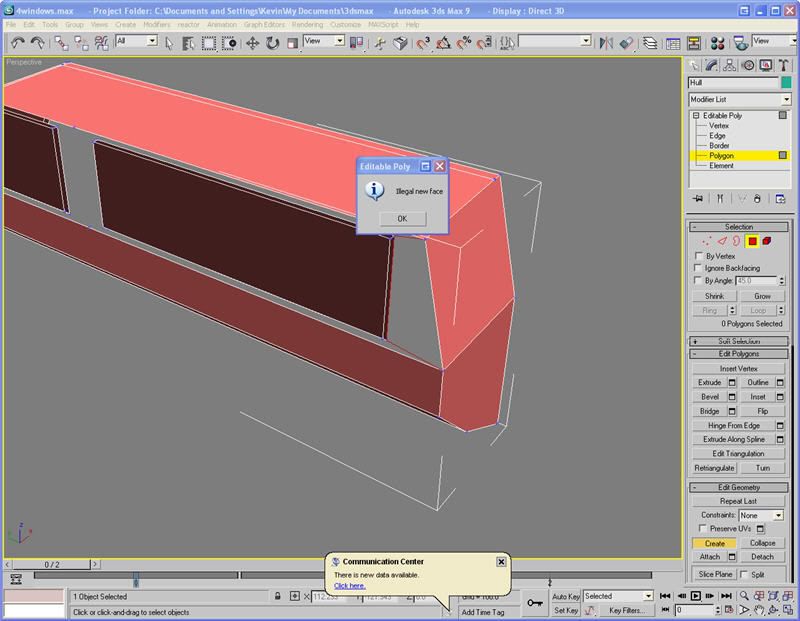
I'm really stuck here. Nothing works, though it probably a pretty simple problem, or I did it all crazy and out of whack that it boggles the mind. If you need more information I can provide it. Also, if you other modelers could give a brief description of your approach, that would be great.