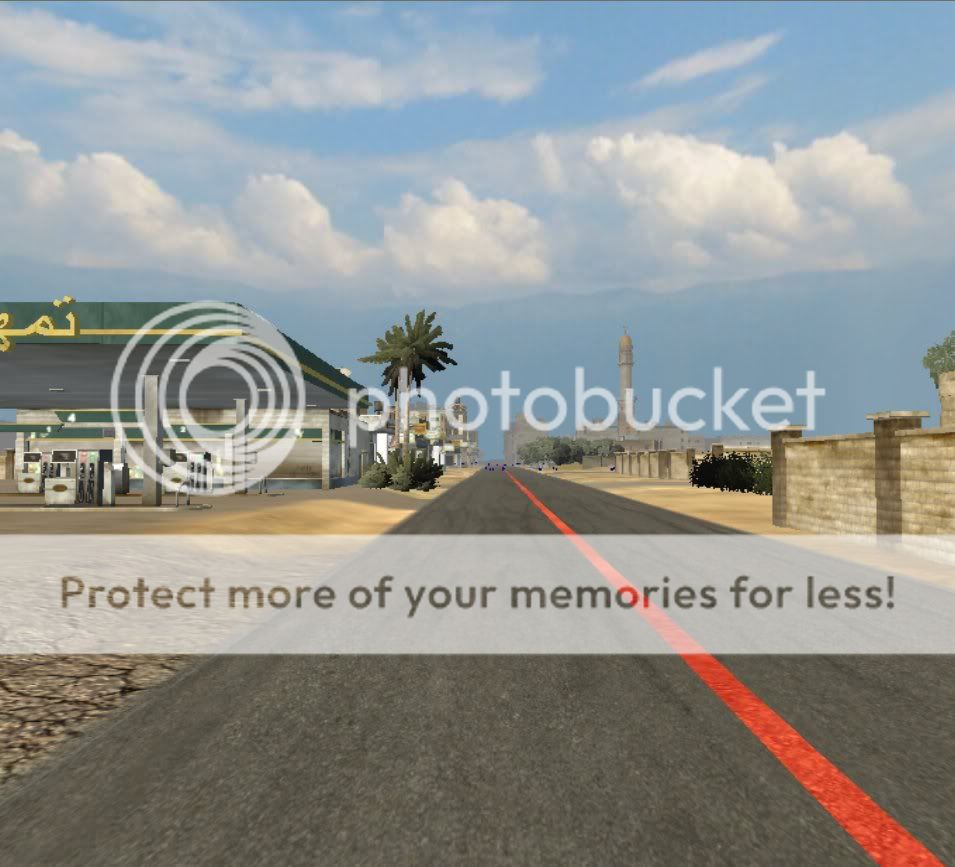
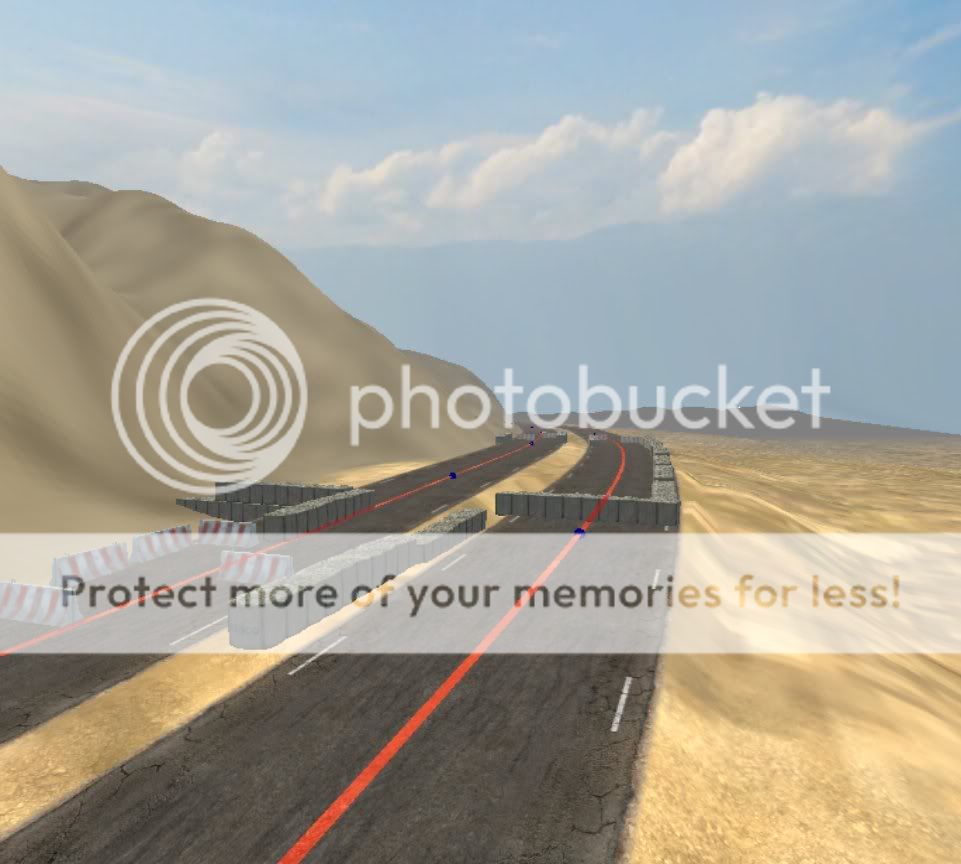
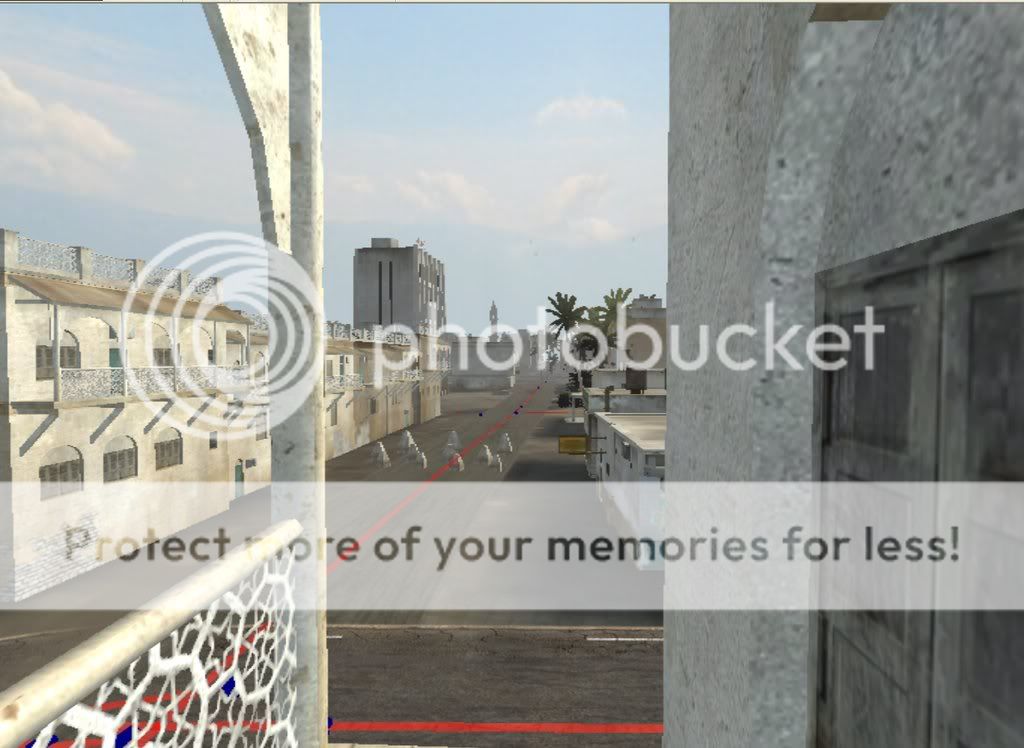
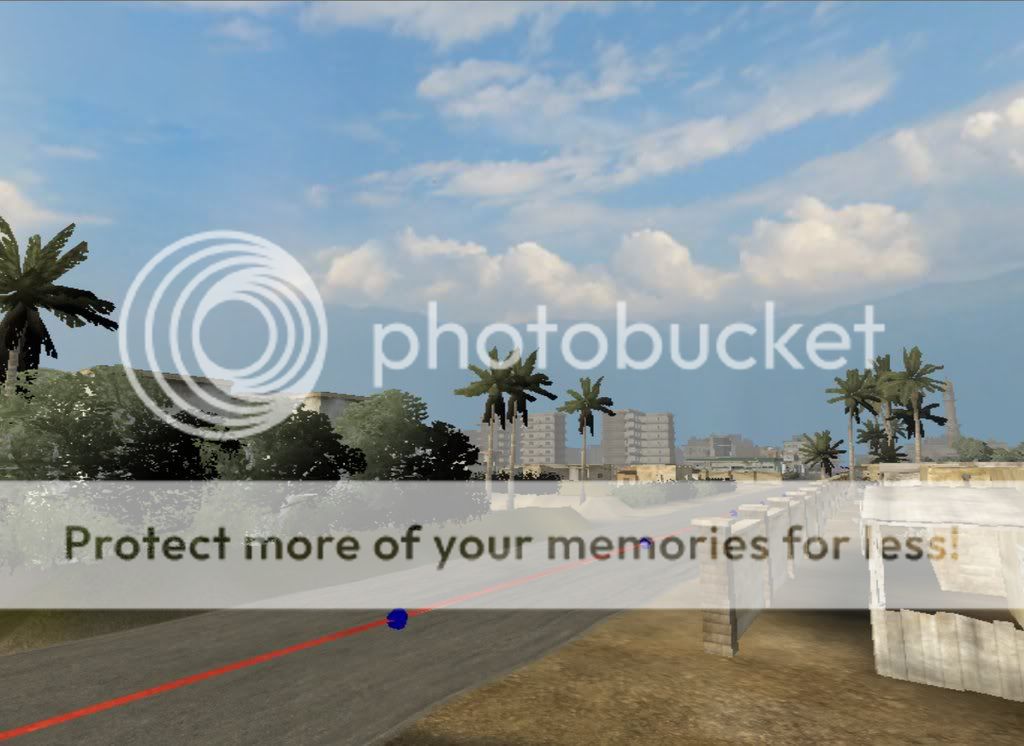
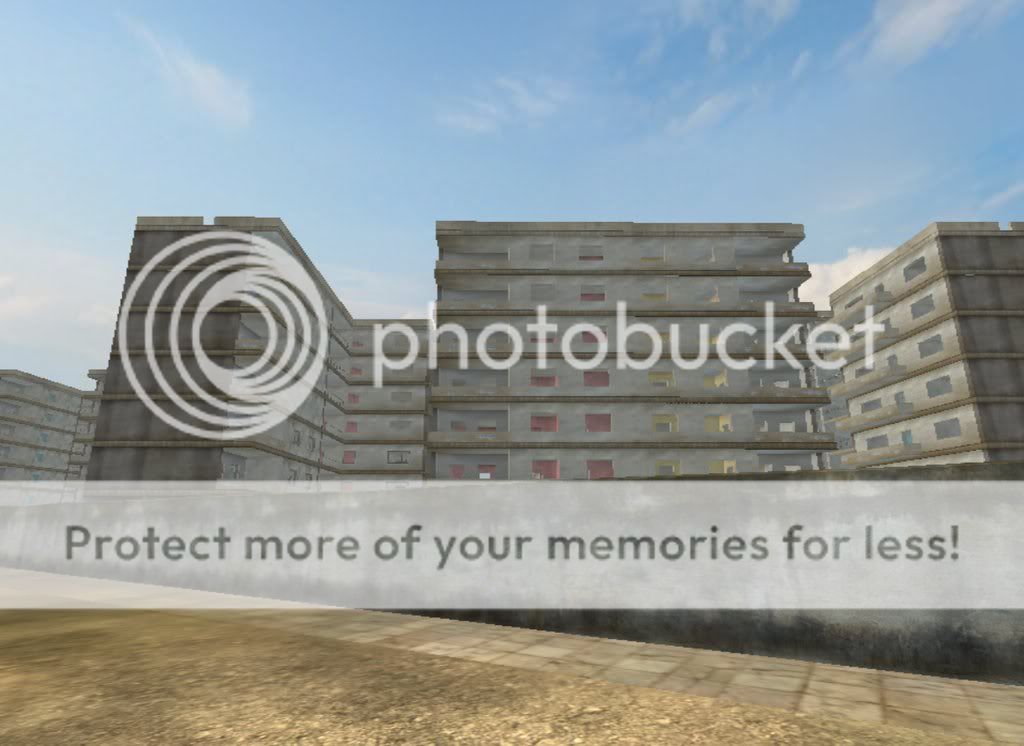
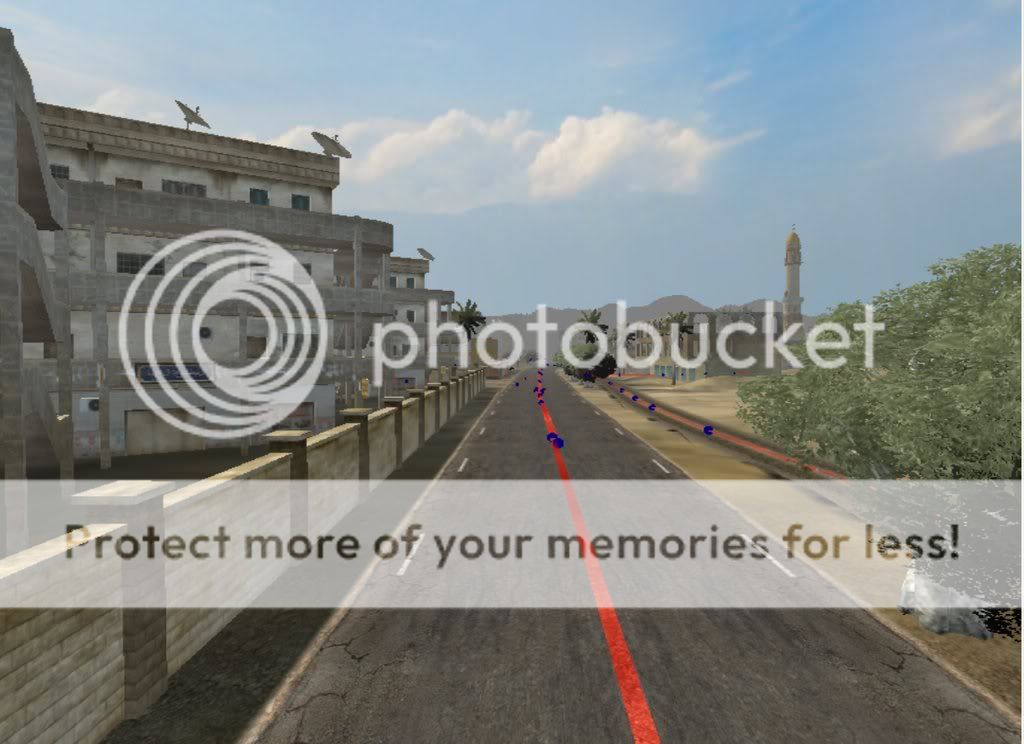
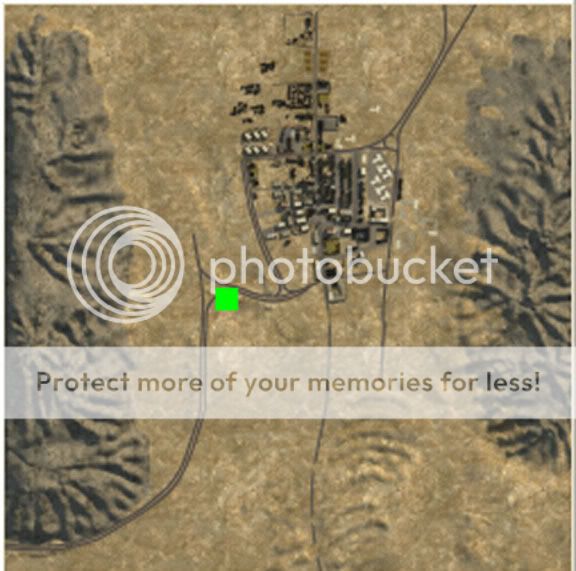
[Map] Khash, Iran (2km) [Scrapped]

Maps created by PR community members.
Psyko
Posts: 4466
Joined: 2008-01-03 13:34

[Map] Khash, Iran (2km) [Scrapped]

Post by Psyko »

Hey all!

I'v been working on this map for a couple of months on and off. And first off i'd like to thank Okita, coderedfox and Rhino for their advice lately on aspects of the map. They may not realise it but their help and advice helped to motivate me.

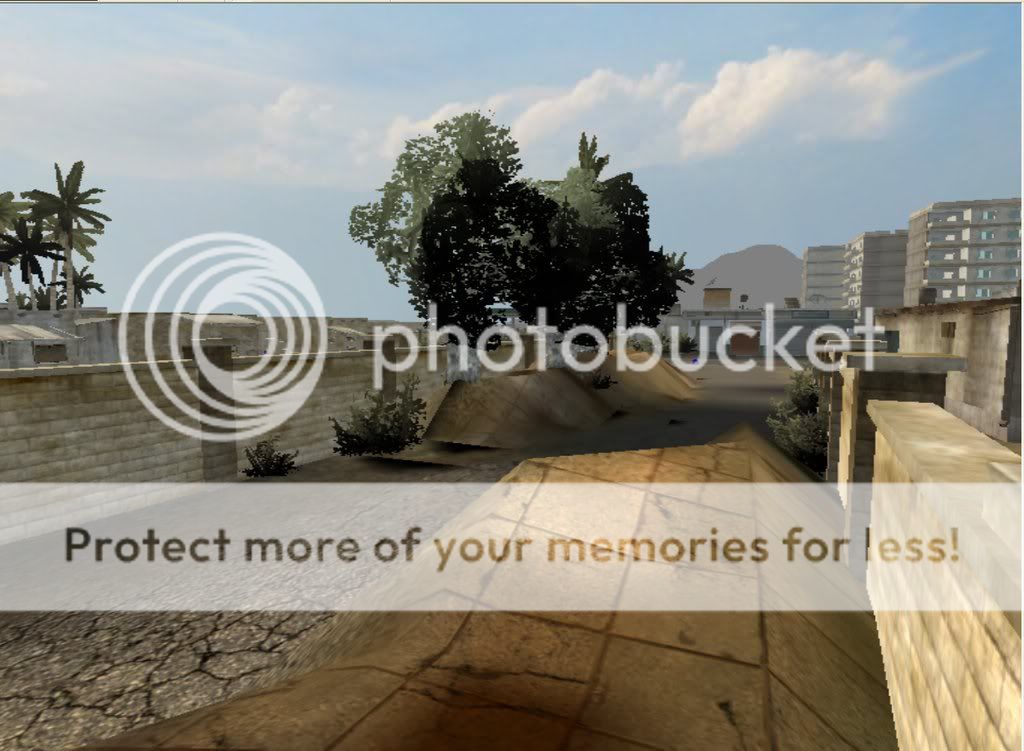
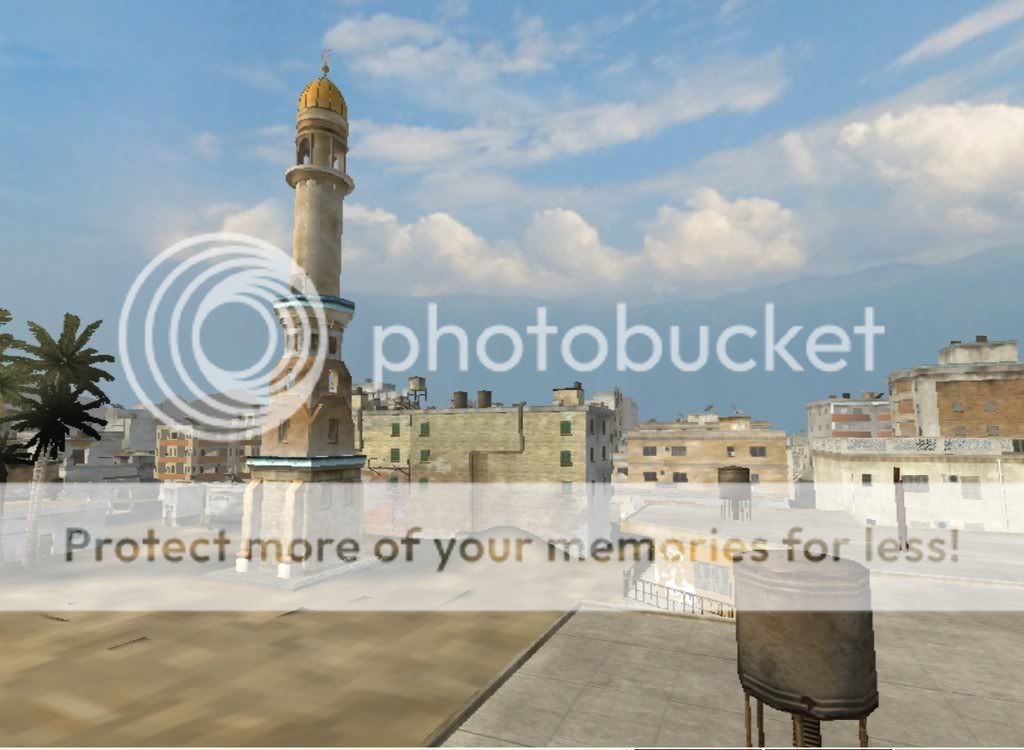
The map is based heavily from google earth maps of the Iranian town of Khash, which is basically out in the middle of the desert on the Pakistan side of Iran. (Central, East) But i will admit to shrinking down the scale, as the sheer size is just not viable.

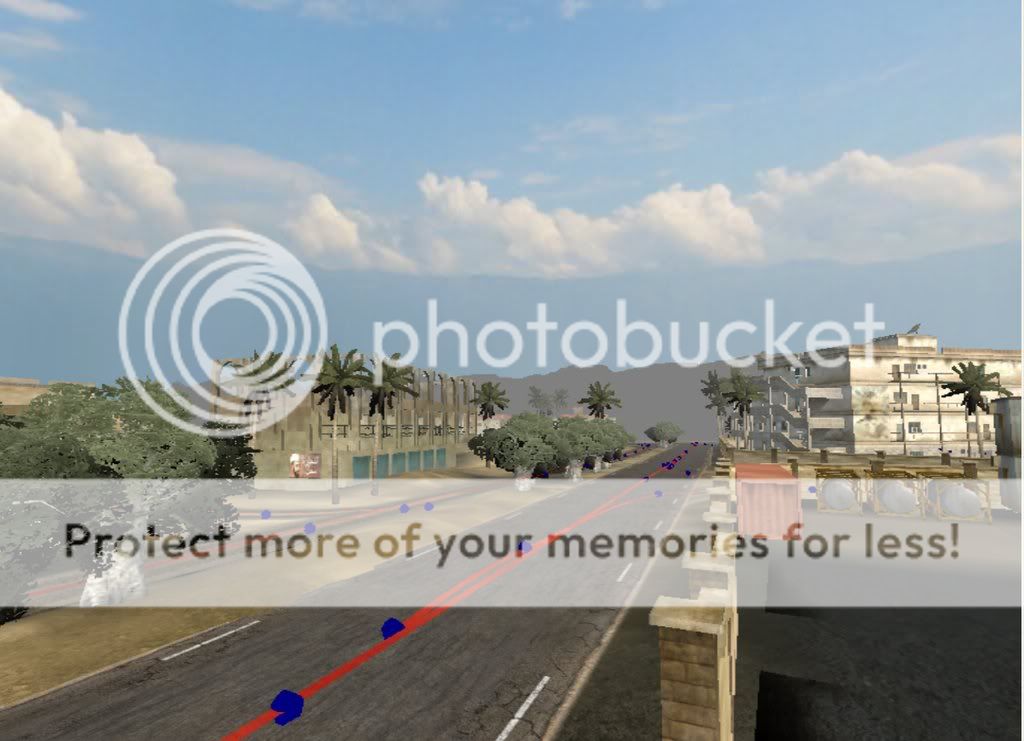
Its crammed between two large bands of mountain and most of the vally is flat. However i have added elevation to places, to add character to bland lifeless areas. One of the Town's attributes is a large cement factory so i'm currently working on that as well as a quarry. And im detarmained to make the Highways look as real as possible.
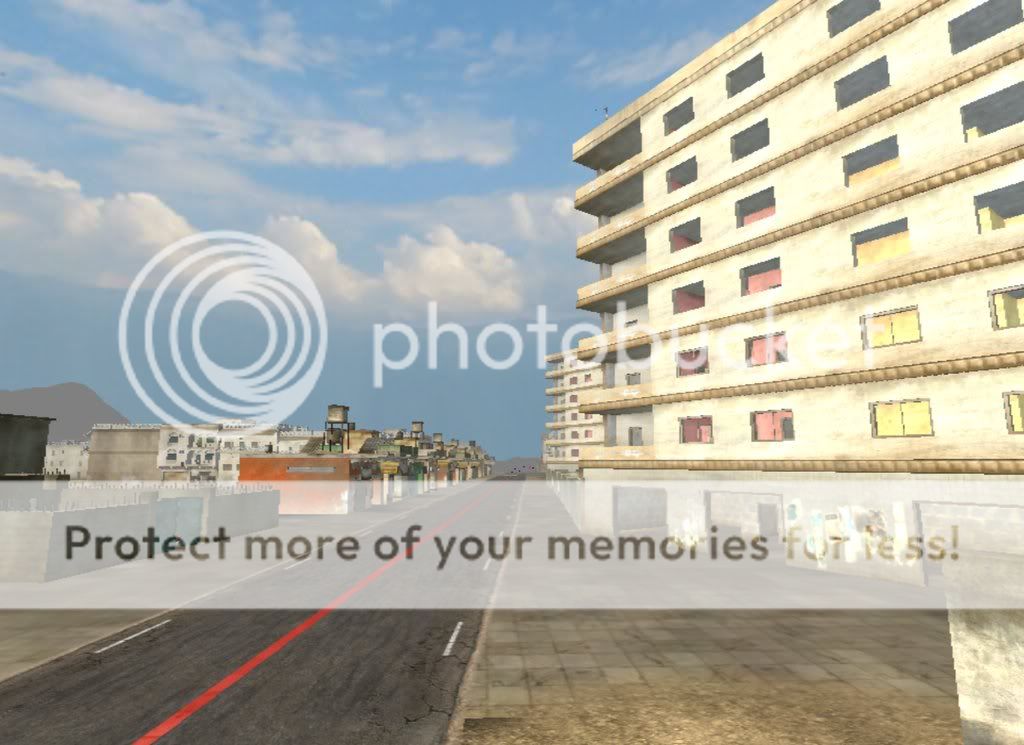
Pay no attention to the textures and the streets, i am still experimenting with them.

Its by no means finished, only 2 months in and many months to go. I intend to riddle the map with interesting things to help combat and adjatate squad leaders. I set out to make a desert map that was primarily Infantry, with armour support, like Ejod, but was advised away from asset planning until well after the terrain was to a point where it was actually playable.

So on that advice, i focused on the map and not the idea of assets, and i was surprised to find that it gave me a lot of freedom, i didnt confine myself to concepts. i just let loose, and soon after, i found housing estates, highways, shanty-towns, parks, allyways, and an industrial area had developed. and when ever i get bored of gaming i switch on the editor and muck around with little things, until all the little things start to become big things.

Im done talking now, please crit my work, and be gentle xD


Name: Khash, Iran
Size: 2km
Type: Urban, Desert


cheers :)


Image

Image

Image

Image

Image

Image

Image

Image

Image

Image
Last edited by Psyko on 2009-02-21 05:11, edited 1 time in total.
D|ehard
Posts: 107
Joined: 2008-11-17 02:56

Re: [MAP] Khash, Iran WIP

Post by D|ehard »

Good Start. Just place big things, then go to little :D
torenico
Posts: 2594
Joined: 2007-06-30 04:00

Re: [MAP] Khash, Iran WIP

Post by torenico »

good job.

keep it up bro.
master of the templars
Posts: 598
Joined: 2007-06-26 21:37

Re: [MAP] Khash, Iran WIP

Post by master of the templars »

looks very interesting, every one like minimap pics too :)
Make nukes, Not war
Psyko
Posts: 4466
Joined: 2008-01-03 13:34

Re: [MAP] Khash, Iran WIP

Post by Psyko »

edit:

Image

as you can see the layout is only about 40% complete.
Last edited by Psyko on 2009-02-21 06:16, edited 3 times in total.
HughJass
Posts: 2599
Joined: 2007-10-14 03:55

Re: [MAP] Khash, Iran WIP

Post by HughJass »

Psykogundam wrote:its not time yet for a minimap pic. when my layout is done i promise to post it up. but right now, parts of the map are baldy and embarrasing :o ops:
dont worry, post up a minimap with some drawing on it what you got planned for the map.
Image
J.F.Leusch69
Retired PR Developer
Posts: 2988
Joined: 2008-04-23 16:37

Re: [MAP] Khash, Iran WIP

Post by J.F.Leusch69 »

for me some pics already give a "desert city felling"!

keep it up! and and look for a very nice terrian color!
Rudd
Retired PR Developer
Posts: 21225
Joined: 2007-08-15 14:32

Re: [MAP] Khash, Iran WIP

Post by Rudd »

Looks like the spiritual sequal to EJOD, nice work.
Image
Scot
Posts: 9270
Joined: 2008-01-20 19:45

Re: [MAP] Khash, Iran WIP

Post by Scot »

****. Were you drunk when you made this? Actually, your Irish. Do i need to ask.


:D

Great looking map man, keep at it, I wanna test this baby :p Who knows, Psyko could be the next best mapper :D Go go go! Glad to see more googly maps being used for mapping aswell :)
Image
Psyko
Posts: 4466
Joined: 2008-01-03 13:34

Re: [MAP] Khash, Iran WIP

Post by Psyko »

Jonny wrote:Image

The hell?

Who paves over mounds of dirt like that?

Apart from that and the usual ejod mountains down the side it looks VERY good.

Come on local uprising against the Taliban! Insurgents vs Taliban!
lol

it used to be garbage, but i mucked up the order of the textures. when you change the detail on a texture slot it changes that detail whereever it was on the map. not hard to do. i took the pic to give people an idea of what im trying to do. (eg: lots of cover in tight closed off areas that need to be taken)

@ Scot....... -_- yes

I also sketched out some basic blueprints last summer of things like, "soggy carpark-pinned by MG".
And i'v seen on other maps where most of the tickets are dwindled because of an ongoing stalemate so you never get to the enemy rear flag. and im thinking of ways to improve on that by taking advantage of the terrain.
Last edited by Psyko on 2009-02-21 16:45, edited 3 times in total.
M_Striker
Posts: 513
Joined: 2008-05-31 00:36

Re: [MAP] Khash, Iran WIP

Post by M_Striker »

This looks very nice. Like the more modern urban areas in the middle east. I love it. :D
Rhino
Retired PR Developer
Posts: 47909
Joined: 2005-12-13 20:00

Re: [MAP] Khash, Iran WIP

Post by Rhino »

what I posted ages ago to help the other devs/cons before the apartment buildings where released.
'[R-DEV wrote:Rhino;707090']Alright now I know most of you will have your own little ways you will probably line these up in but I'm going to give a quick tut here to show you the method I've made to put these apartment buildings together.

First of all after this update, due to all the children being removed apart from ladders, satellite dishes and TV aerials to make lightmapping possible so all you will be left with, providing you set these buildings up before the update is just the ground floor sitting where your big apartment building was.

Image

However have no fear, Whino is here! :p

Before doing anything, you will want to grab all your ground floor types and you will need to snap them to the ground, do this by selecting them all in the resources bar and then on the right click "Snap Objects" on the right and they should all snap to your ground, providing you have you snap settings so it only snaps to terrain, not objects, and best to also make sure you do not have grid snap on otherwise it will snap it to the nearest grid when also doing the snap which might muck up a load of your alignment.

Now for this first example I'm going to be using the "housingblock_1_groundfloor_v2" as my base ground floor, note that it is a "housingblock_1" and not a "housingblock_2", as the 1 and 2 versions are different colour setups, as well as the 2nd version is also meant to be a double building setup, thou it can be setup like the others as a single.

First locate the "housingblock_1_midfloor_v1", "housingblock_1_midfloor_v2" and "housingblock_1_topfloor" bits which can be found in the "\objects\staticobjects\pr\citybuildings" folder. Drag and drop these onto your map by your ground floor.

Now first what you will need to do is to align the rotation of your new bits you have dragged in with the rotation of your groundfloor base. My groundfloor base is a nice random -107.1 degs as very little of my map is built onto the grid hehe. So first I need to give all the bits I just dragged in the same rotation, easily way to do this is to just add it manually into the tweaker bar by pasting it into the rotation bit.

Once you have there rotation set up select all the bits you have just added, then select the ground floor last so that your move pivot can be seen selected on it, best way is to just hold ctrl and click on it :)

Image

Then I have lined up all the anchors so they can all easily snap together, so now with them selected like the above, on the right just hit the "Stamp" button, then "Align" and all your bits will snap onto your ground floor's pivot :D

Image

All nice and simple hu? :)

Now you already have the satellite dishes and TV aerials added to your roof as a child to the roof, they wont have any shadows casted on them but it is unlikely they will, if it is a big deal you can select your roof, hit the disable children button and you can place the satellite dishes and TV aerials on them manually :)

All the rooms in this state will be pretty much bare, so if you want objects like tables and charis to be in them you will have to add them manually, which tables and chairs is all you really need which can also be found in the citybuildings folder :)
There is no easy way of doing this, just check none are floating etc.


Now for my 2nd example I'm going to do a 4 story version, or is it 5 story? dont matter :p
It is more or less the same as the last apartment building but as it has more floors its a little trickier than the last.

For my ground floor I'm going to be using the "housingblock_1_groundfloor" so again I'm going to be using version "1" bits.

So like before, locate the "housingblock_1_midfloor_v1", "housingblock_1_midfloor_v2" and "housingblock_1_topfloor" bits which can be found in the "\objects\staticobjects\pr\citybuildings" folder. Drag and drop these onto your map by your ground floor.

Now like before, you will need to do is to align the rotation of your new bits you have dragged in with the rotation of your groundfloor base.

Once you have there rotation set up select all the bits you have apart from the top floor so just your mid floors, then select the ground floor last so that your move pivot can be seen selected on it, best way is to just hold ctrl and click on it, then just do the stamp and align, align on them like before and you should have your first set of mid floors setup.

Image

Now as we want 2 more mid floors, simply select your current 2 mid floors, hold ctrl and then drag them up above your current floors, it dont need to be exact just above a little.

Image

Now basically your 3rd mid floor is 10.5m above the ground floor, so find what your y position of your ground floor is, mine is "32.018", then add 10.5 to what ever yours is so mine comes out at "42.518" then select your 3rd floor and add that into its y value. Now your 3rd floor should be snapped nicely to the top of the 2nd floor.

Image

Now if you select the floor above (the 4th floor) and the top bit you have been hanging on the side for a bit, then select your 3rd floor again, then do the stamp align on that and it should all line up :D

Image

Again you will have the TV aerials and dishes on the roof, but you will need to add other detail by hand :)


For my next example I will be doing a double apartment building "H" setup instead of the "T" setup we have been doing. For my base I will be using the "housingblock_2_groundfloor", note the "2" meaning we will be using the 2nd version of these apartment buildings which have a darker colour scheme.

Image

Also note even thou there is at the mo only 1 bit setup, there is the shadow where the old building was with the double setup which we will be redoing.

Now first let drag all the bits we need into the map. Locate and drag these bits into your map:
  • housingblock_2_groundfloor_v2
  • housingblock_2_midfloor_v1
  • housingblock_2_midfloor_v2
  • housingblock_2_midfloor_v3 (note, found in the v1 folder)
  • housingblock_2_midfloor_v4 (note, found in the v2 folder)
  • housingblock_2_topfloor
  • housingblock_2_topfloor_v2
Now do the same as before where you line the rotation up with the ground floor base bit but you will also need to add a 180deg rotation onto the following bits:
  • housingblock_2_midfloor_v3 (note, found in the v1 folder)
  • housingblock_2_midfloor_v4 (note, found in the v2 folder)
  • housingblock_2_topfloor_v2
The easyist way to do this is just to select each one, grab the rotation tool and right click twice on it on the correct axis to rotate them 180 extra.

Once you have done all that, select all the new bits, then select the ground floor last and then do the old stamp align, align and they should all snap into place.

Image

Again you will need to add inside and ground detail by hand :)


Final little bit I just want to add is about the "citybuilding_2b_part2" as this is not 100% aligned up with the part 1 which it snaps to by its transformation, but I have aliened the anchors. If you line up part 2 to part 1 by its transformation there will be a small gap like this:

Image

If you do the stamp align on its anchor how ever its fine.

Image

NOTE: This only happens with "citybuilding_2b", not "citybuilding_2a" so you can align 2a by its transformation if you wish.


Hope that helps, Cheers! :D

Wilkinson
Posts: 1916
Joined: 2008-08-18 21:55

Re: [MAP] Khash, Iran WIP

Post by Wilkinson »

Nice tutorial Rhino, great map Psyko. Hope you got that lightmap issue solved
Image
Image
Psyko
Posts: 4466
Joined: 2008-01-03 13:34

Re: [MAP] Khash, Iran WIP

Post by Psyko »

@ Rhino, cheers that will defenitly help me out. how much of these buildings should i use? i really like them but im afraid that if i put in too many it will drop the majority of player's FPS down

Got one for roads? they are a real ***** :(
PARAMEDIC.CA
Retired PR Developer
Posts: 1106
Joined: 2006-04-13 02:48

Re: [MAP] Khash, Iran WIP

Post by PARAMEDIC.CA »

looking great... keep it up!!!!!!!!!!!!!!
Paramedic
Image

Smegburt_funkledink
Posts: 4080
Joined: 2007-11-29 00:29

Re: [MAP] Khash, Iran WIP

Post by Smegburt_funkledink »

Ahhh yeeeahhh man, good stuff Psyko. :)
[R-Div]Robbi "There's nothing more skanky than eating out of a tub of hummus with a screwdriver."
[R-DEV]Matrox "CHINAAAAAAA!!!"
Rhino
Retired PR Developer
Posts: 47909
Joined: 2005-12-13 20:00

Re: [MAP] Khash, Iran WIP

Post by Rhino »

Psykogundam wrote:@ Rhino, cheers that will defenitly help me out. how much of these buildings should i use? i really like them but im afraid that if i put in too many it will drop the majority of player's FPS down

Got one for roads? they are a real ***** :(
hehe, main bit in that tut I wanted you to read was the floors, there is a v1 and v2 of the mid floors, that have basically different colour rooms and small other differences, but at the moment, you have the same floor one ontop of the other and you just see a pink room, above a pink room, above a pink room if you look though the windows :p

As for roads, ye, they are a *****. My best advice is do what I did for muttrah, dont put down any roads to start off with, only put down the intersections at ever corner etc, set up your entier city with just imagining the roads, in fact what I did is a drew all my roads onto my colour map, then it was easy to see where all the intersections needed to go.

Image

That pic isn't the best example as I had already connected up some of the roads but I stopped doing that after I realized if I missed any I needed to delete the road I did and then add in the missing intersection and then remake the road :p

But you get the idea :)

If you dont do intersections then you dont get good connections between roads.
Psyko
Posts: 4466
Joined: 2008-01-03 13:34

Re: [MAP] Khash, Iran WIP

Post by Psyko »

i went off and tried those tuts, and forgot to say thanks. so... thanks :D

When and after you have painted your map fully...does the texture save itself as a single file that you can open with photoshop?

i tried the terragen tut but it doesnt work. it does the texture but doesnt do the detail or elevation, but that doesnt matter, i want to paint by hand. all i need to know is how to import an image simply using photoshop and what i need to rename it as. its been buging me.
Last edited by Psyko on 2009-02-22 07:22, edited 3 times in total.
Locked

Return to “Community Maps”